

1.0.16 – Release Notes – 2026/04/09
Smarter AI, Smarter Tagging
Our AI tagging just got smarter. As new categories and types are added to the taxonomy, it automatically recognizes and classifies them correctly, keeping your assets aligned with the latest structure while preserving existing tags.
🛠️ Enhancements
New Taxonomy Categories and Types
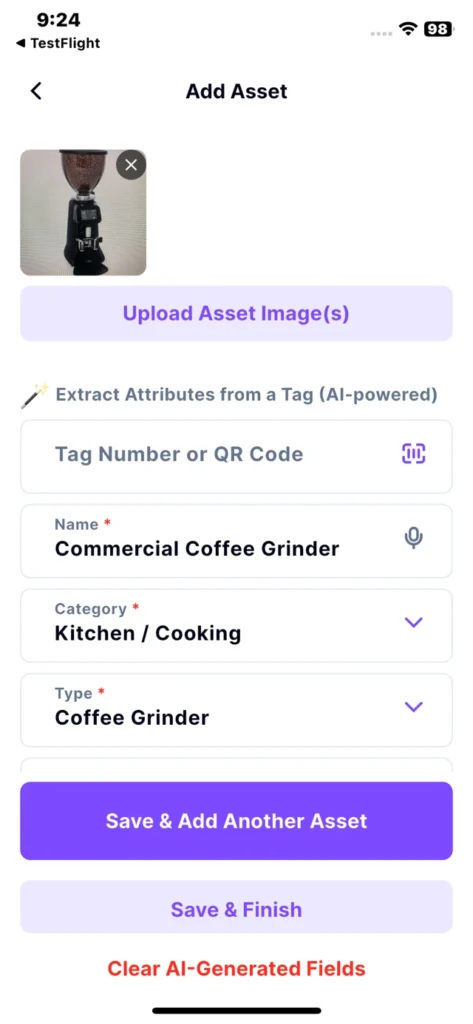
The AI prompt has been updated to include newly added taxonomy categories and types, such as Kitchen / Cooking, Doors / Windows, and Material Handling Equipment, for accurate classification.
How It Works
- Navigate to “Add Asset”.
- Take a photo of the equipment you would like to capture.
- Tap “Upload Assets Image(s)” button
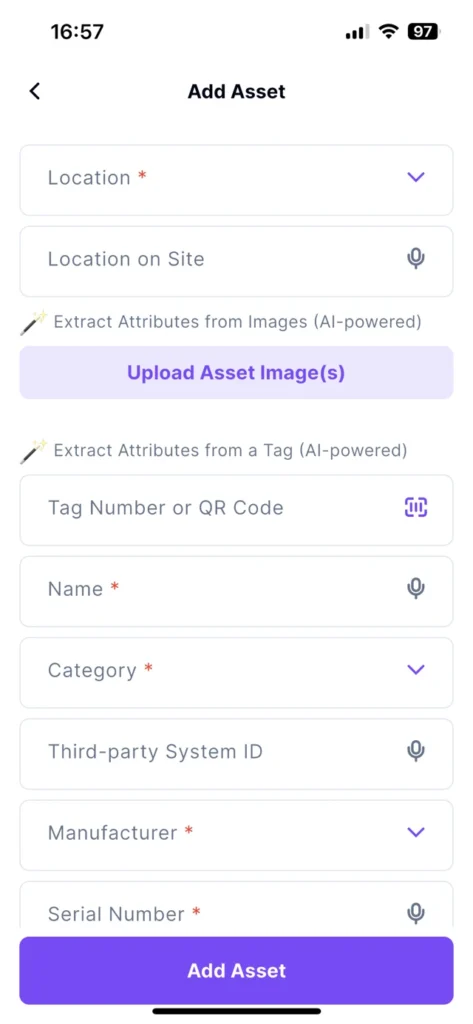
- Tap “Take Photo” and capture the asset
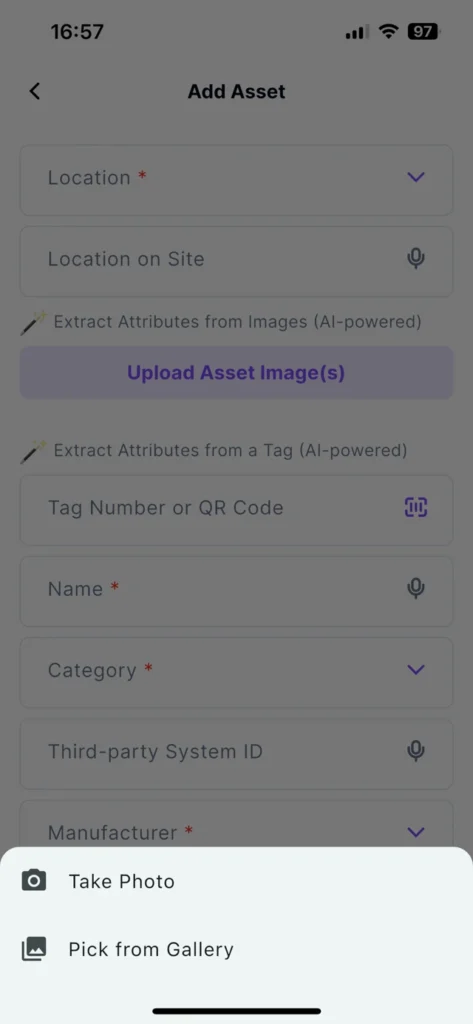
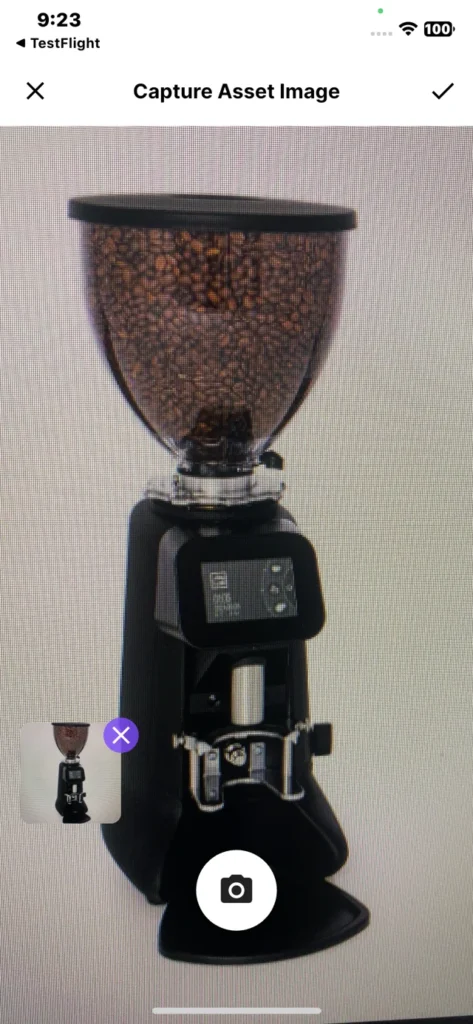
- The AI analyzes the image and automatically prepopulates: Category, Type, and more.
- Review and edit any field before saving.
Why it’s great
Everything is automatically organized with a structured taxonomy and consistent tagging across your team, no duplicates, no manual cleanup, and the same reliable result every time, regardless of who captures the asset.
One Photo. Tag Wizard does the rest. ✨
Zoom Control
In the field, you don’t always have room to step back to capture large assets. Zoom control lets you easily zoom out or in to frame the asset properly, even in tight spaces.
Export & Print Your Assets List
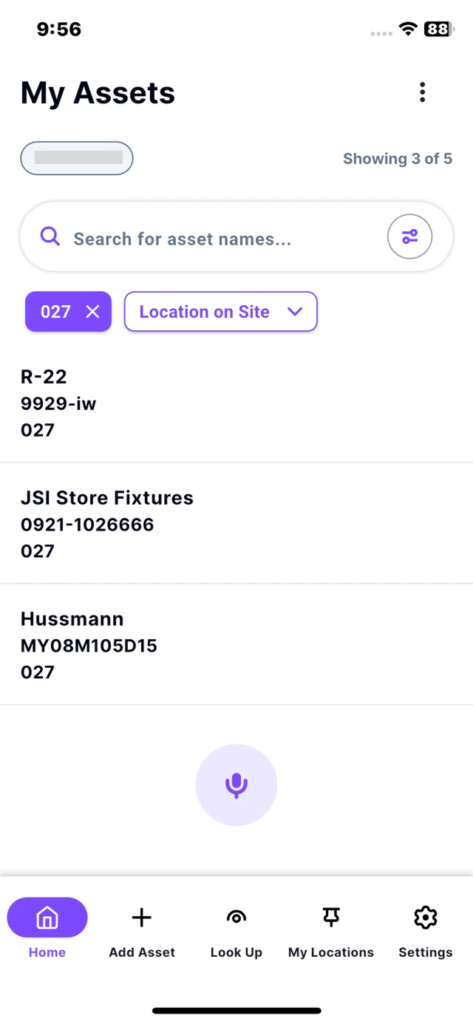
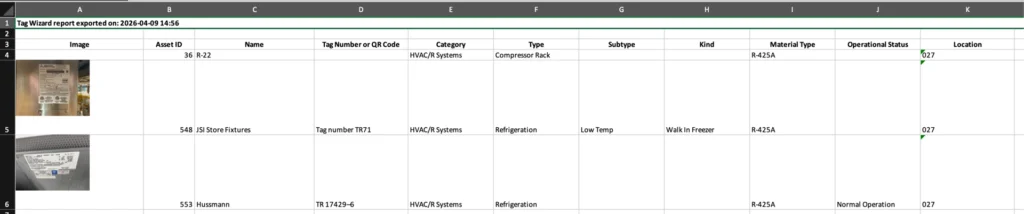
You can now export an Excel file directly from the “My Assets” screen.
How It Works
- Apply filters to build the list you want to export.
- Tap the “More” icon in the top right.
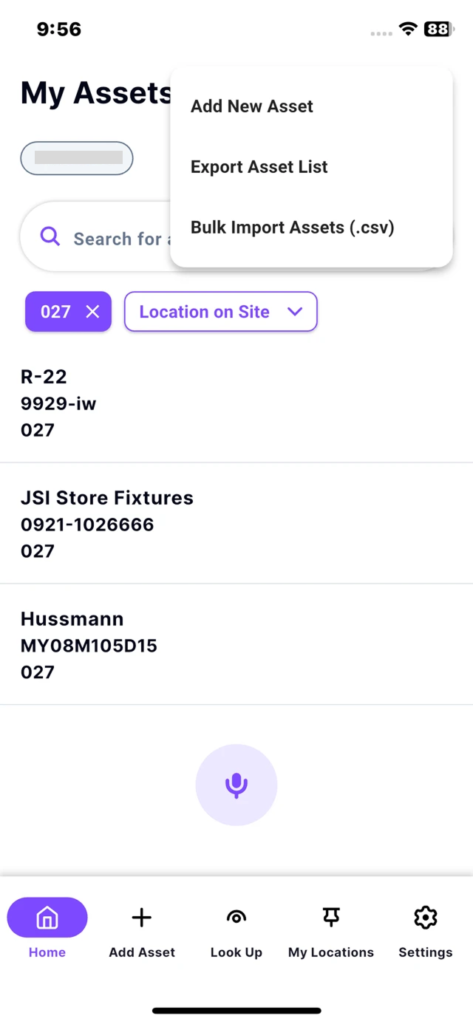
- Tap “Export Asset List“.
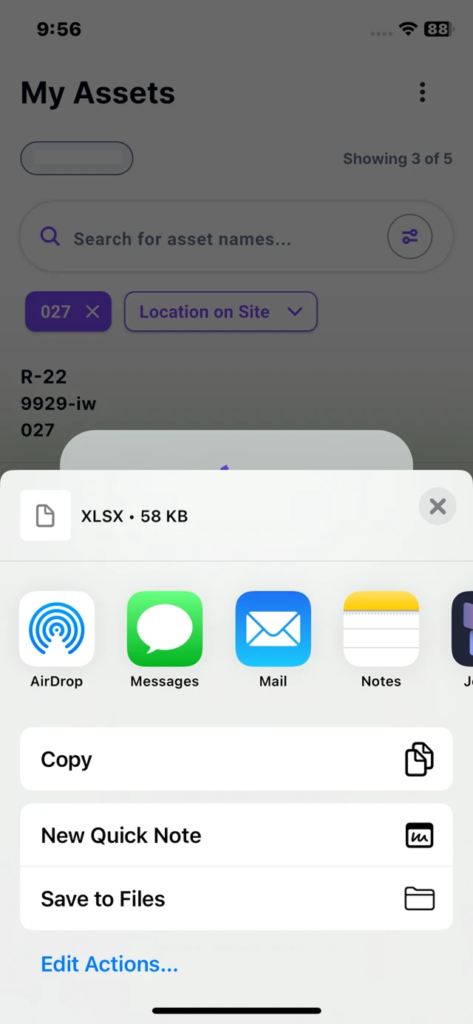
- On IOS, ap “Save to Files“.
- Then, open or print the file.
Why it’s great
Quickly export and share asset records directly from your mobile device.
Refrigerant Fields Labels Updated
Refrigerant field labels have been updated:
- Material Type → Refrigerant Type
- Refrigerant Type → Refrigerant Class
🐛 Bug Fixes
Incorrect Asset Type During Multiple Tagging
Sequential tagging does not default to Comfort Cooling instead of Refrigeration anymore. Assets now correctly assign their intended type during multiple tagging.
AI Incorrect Asset Detection
AI now detects and populates “Point of Sale” assets accurately, instead of “Material Handling Equipment”.