

1.0.19 – Release Notes – 2026/05/27
Map Your Ecosystem with Asset Linking
Equipment doesn’t run in isolation, and now your data doesn’t either.
We’re excited to launch Asset Linking, a powerful new feature that lets you connect related equipment, like linking a Condensing Rooftop Unit (C-RTU) to your Commercial Chilled Water loop.
See exactly how your facility fits together for faster troubleshooting and smarter maintenance planning.
You take the picture. Tag Wizard does the rest. ✨
✨ New
Parent-Child Asset Linking
Map your facility’s ecosystem by linking parent and child assets directly inside Tag Wizard.
How It Works
- Navigate to the “My Assets” screen.
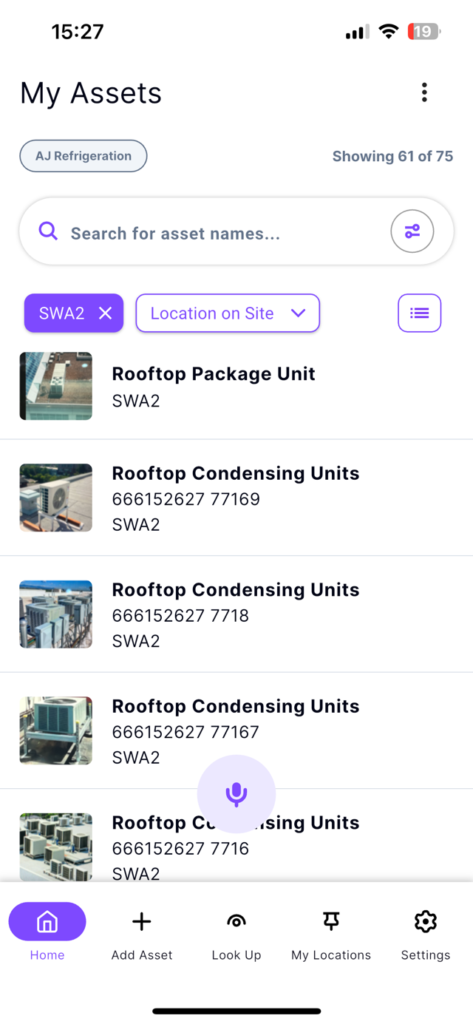
- Open an asset.
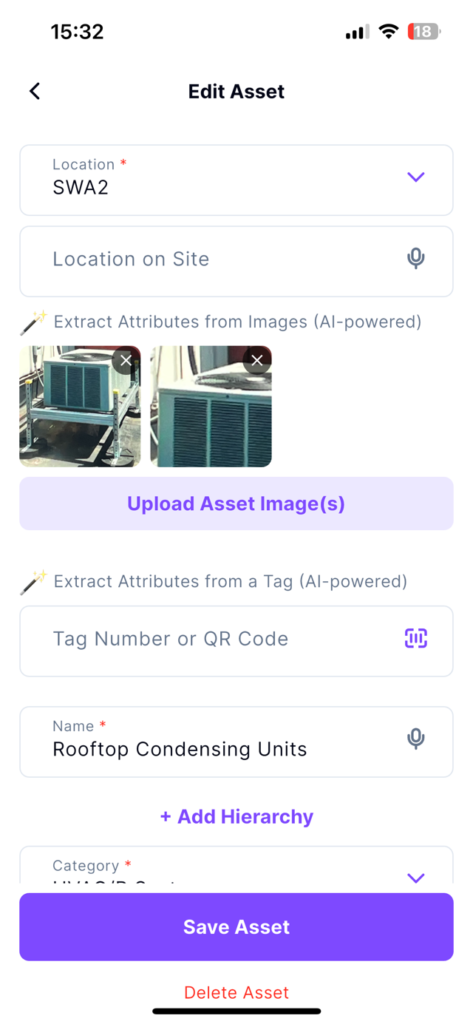
- Tap “+ Add Hierarchy” button.
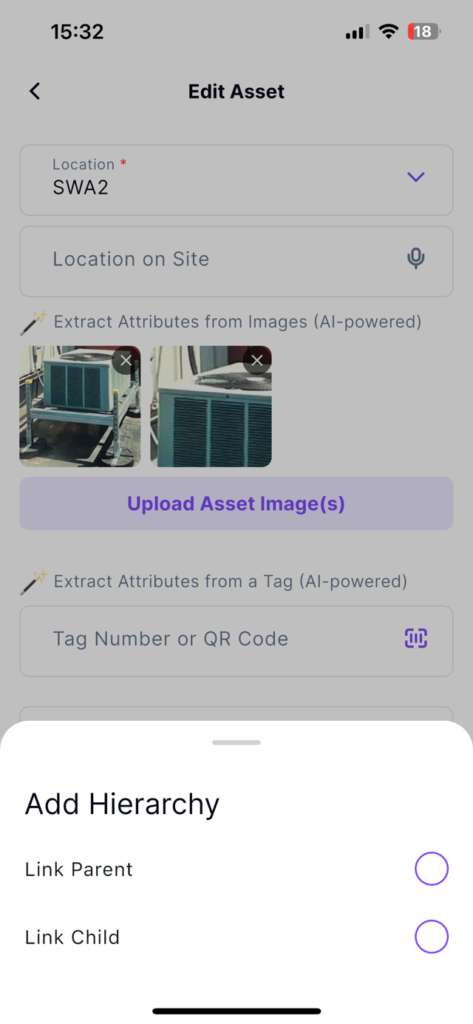
- Select to Link Parent or Link Child.
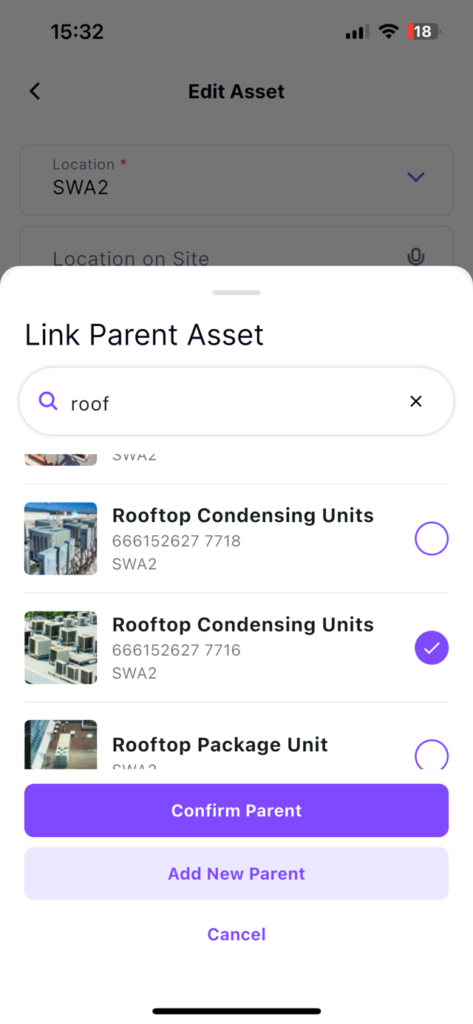
Link Parent
- Link an asset as a parent:
- Select an existing asset or manually add a new one
- Tap the “Confirm Parent” button
Link Child
- Link an asset as a child:
- Select an existing asset or manually add a new one
- Tap the “Confirm Child” button
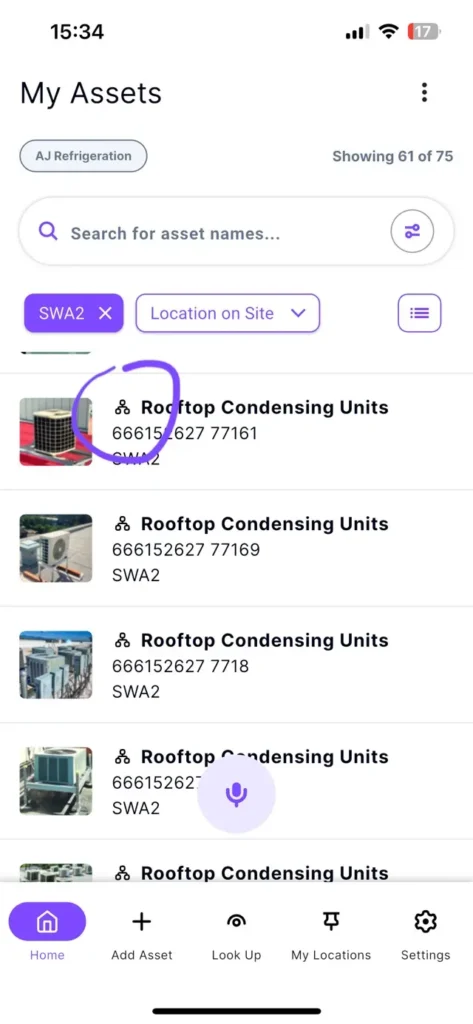
Once an asset is linked and saved, a hierarchy icon will show up to mark its relationship on the assets list.
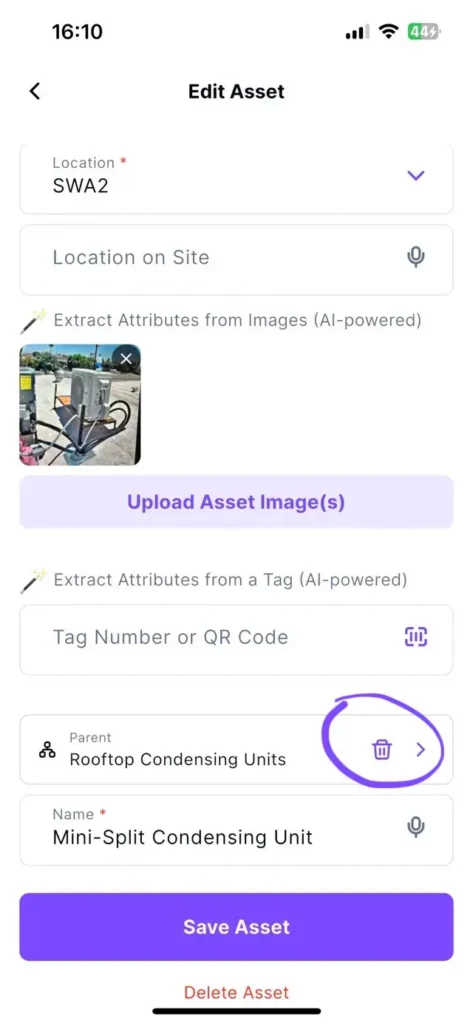
You can unlink an asset by opening it and tapping the trash icon on the related parent or child.
Why it’s great
- For Facilities Owners & Managers: Instantly see system dependencies to minimize building downtime and protect your budget.
- For the Boots on the Ground: Trace upstream and downstream connections to troubleshoot faster and work more safely.
🛠️ Enhancements
Asset Photo Previews
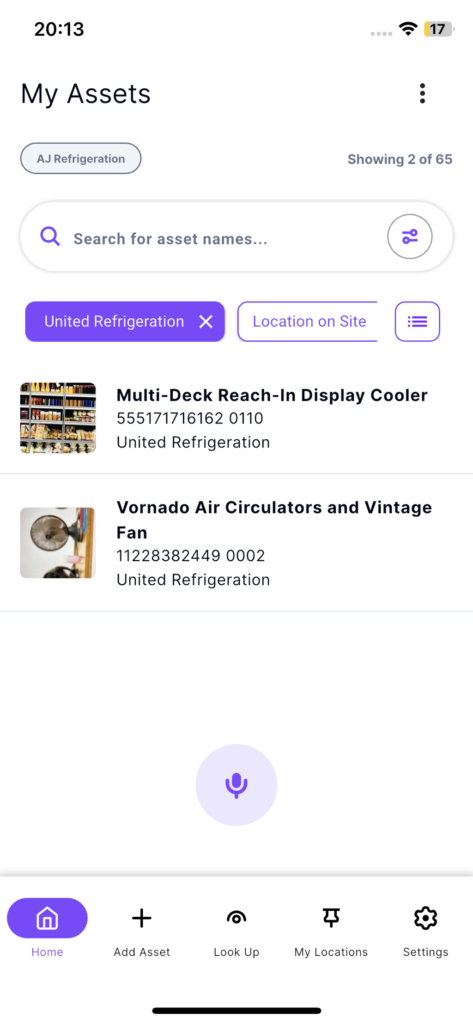
We’ve added primary images to your assets list so you can instantly recognize your equipment at a glance.
Why it’s Great
Spot the equipment you’re looking for instantly with visual context, saving you a tap.
Track more equipment dimensions
Track equipment dimensions (height, width, and depth) for expanded equipment types like walk-ins, display cases, cabinets, doors, and machine rooms.
Why it’s great
Makes it easier to document equipment dimensions accurately for installation, maintenance, and reporting.
Track Who Tagged What, and When
Bring better visibility to your operations: the “Edit Asset” screen now reveals the exact user who initially captured the asset and the date it was tagged.
Why it’s Great
Provides better tracking to know who initially captured the asset, and when it was created.
Visual Data at Your Fingertips
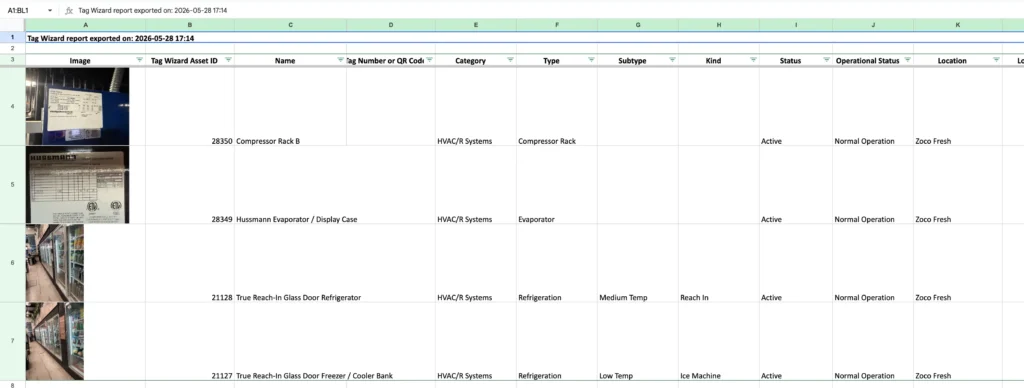
Enjoy richer data extraction with asset thumbnails now embedded directly into your exported spreadsheets, all without sacrificing lightning-fast export speeds.
Why it’s Great
Quickly identify assets visually inside exported reports while keeping exports fast, lightweight, and easier to review.
🐛 Bug Fixes
Weight Conversions
Weight values (kg and lbs) now correctly convert after saving an asset, ensuring your data remains perfectly accurate.
Coupon Redemption
iOS users will now correctly unlock free access the moment they redeem a subscription offer code.
Multiple Image Uploading
Uploading multiple asset photos at once now works correctly in both the “Add Asset” and “Edit Asset” screens.
Dropdown Data Loading
Fixed an issue where Category and other dropdown fields could appear empty or display incorrect values when navigating through the app too quickly after launch.