
1.0.22 – Release Notes – 2026/07/06
Say Goodbye to Faded Labels: NFC Support is Here!
Sun-damaged, torn, or unreadable asset labels are a thing of the past. With our brand-new NFC feature, you can link physical NFC tags directly to your assets. Just tap your phone to the tag to instantly link and open the correct record in Tag Wizard: keeping your data safe, readable, and accessible right when you need it.
And if you need quick guidance while updating a record, our new AI Agent is available right on the spot to answer questions and help you fill out asset details without ever leaving your workflow.
✨ New
NFC Asset Linking & Lookup
Pair NFC tags directly to assets, scan tags to instantly open asset records, and receive clear feedback for successful scans, errors, unsupported tags, and write operations.
How It Works
- Navigate to the “My Assets” screen.
- Tap “Add Asset” or navigate to an existing asset.
- Tap the “Scan NFC Tag” icon (left icon) in the Tag Number field.
- Tap your mobile device on the NFC tag to pair the asset record to the tag.
- This NFC tag is now paired with this asset.
- Navigate to the “Look Up” and tap the “Scan NFC Tag” icon (on the right).
- Tap your mobile device on an NFC tag to find your paired asset.
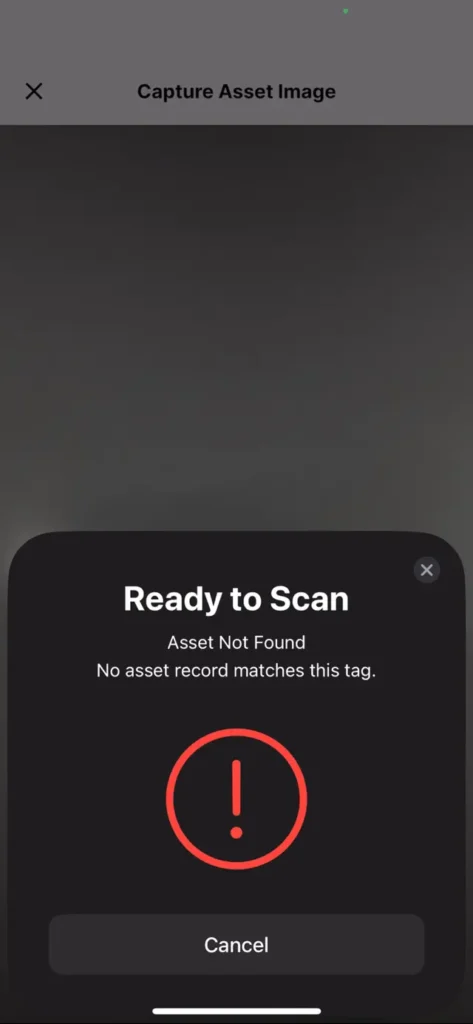
- If a match is found, the app will open up that asset’s details.
If a match isn’t found, the app will display the “Asset Not Found” message.
Why it’s Great
By linking physical NFC tags directly to your assets, your data stays safe, readable, and accessible.
A quick tap of your phone on the tag eliminates manual searching, speeds up asset identification in the field, and creates a bridge between physical equipment and your digital records in Tag Wizard.
Your AI Agent, Right Where You Need It
Need quick guidance? Our new AI Agent is built right into the Add/Edit Asset screen. Get immediate answers and fill out asset details on the spot, without ever leaving your workflow.
How It Works
- Navigate to the “My Assets” screen.
- Upload images and/or enter all the required fields.
- Tap the AI icon in the top-right corner
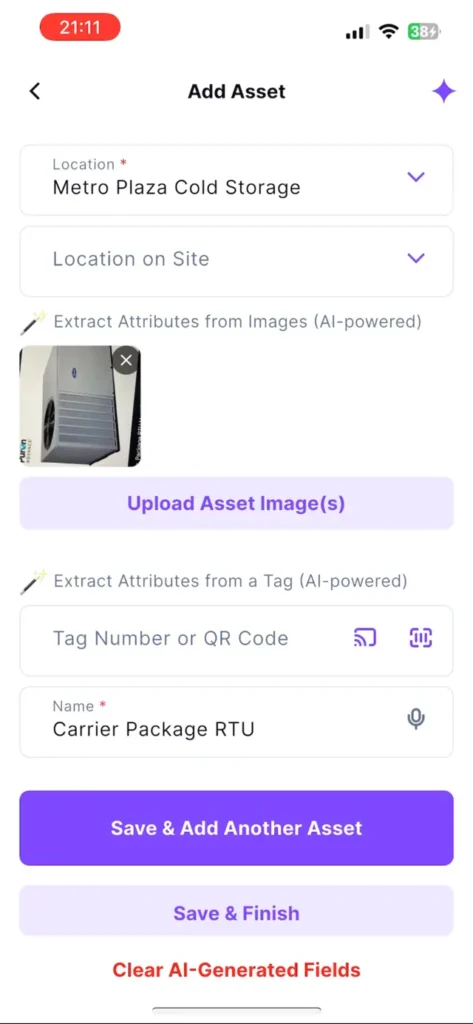
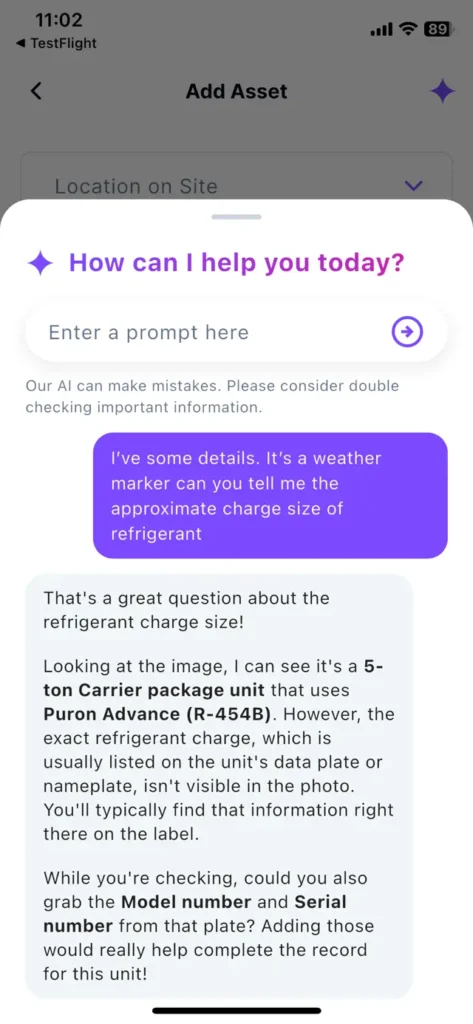
- Ask a question or ask for recommendations about the asset.
- The AI analyzes your asset details and image to provide helpful suggestions within the chat.
Why it’s great
Get instant guidance on your assets, reducing external research and improving data accuracy.
🛠️ Enhancements
Invite Your Team – Invitation Link
Invitation links now default to “Can Edit” instead of “Can View”.
Why it’s Great
It avoids permission issues for new team members.
🐛 Bug Fixes
Annual Plan Subscription
The subscription purchase flow now completes successfully, and an appropriate error message is displayed if the purchase fails.
Duplicated Manufacturers
Duplicates were identified and consolidated into a single record per manufacturer to ensure data consistency.