

1.0.25 – Release Notes – 2026/08/14
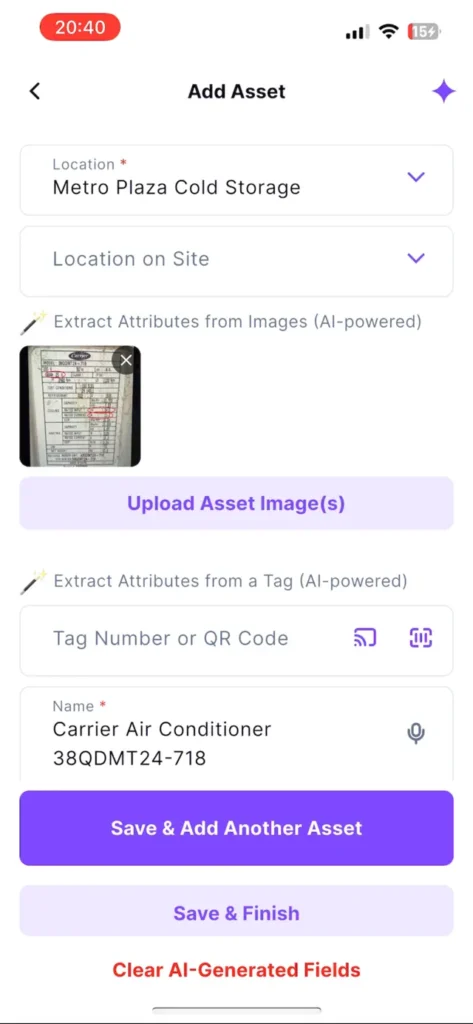
Wizzy, our AI Agent, can fill in any details!
New AI-powered tools make it easier to find and apply missing asset information, copy useful data from Wizzy, and keep asset records accurate.
🛠️ Enhancements
Wizzy, our AI Agent, can fill in any details!
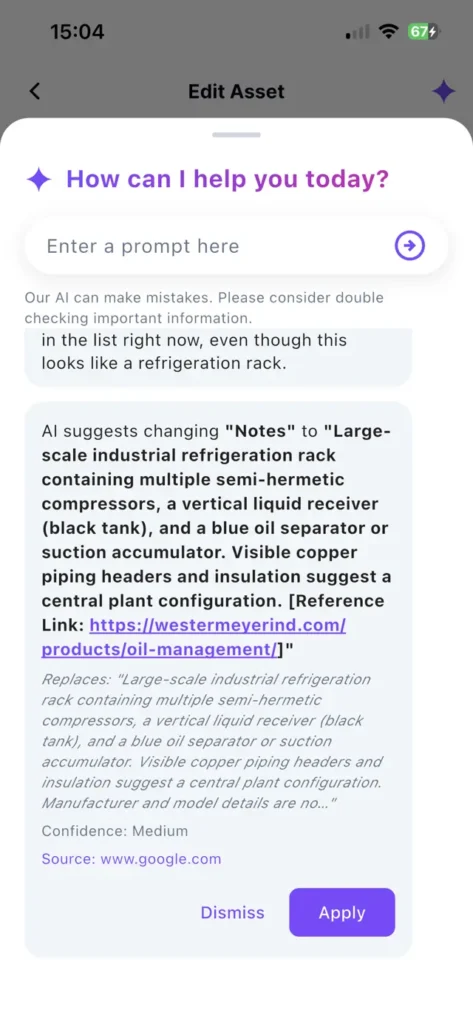
Ask Wizzy to find the information you need about an asset and add it directly to the relevant field.
How It Works
- Open an existing asset or add a new one.
- Tap the AI icon in the top-right corner.
- Ask Wizzy a question or ask it to populate a specific field.
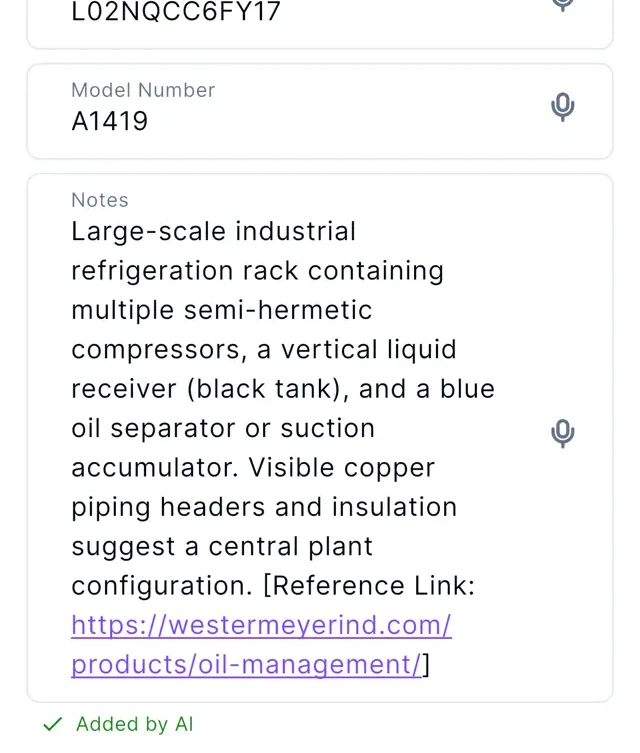
- Review the information and tap “Apply“.
- The data is added directly to the field and marked “Added by AI”.
Why it’s Great
Ask Wizzy for data that’s missing from the nameplate, and fill out asset records faster while staying in control of where AI-generated information is added.
Wizzy now prioritizes the field you asked about and provides a separate “Apply” button for each suggestion, making it easier to review and add information one field at a time.
Copy & Paste from Wizzy
Copy useful information directly from your conversation with our AI Agent and paste it into any editable field. URLs can also be opened directly or copied to your clipboard.
🐛 Bug Fixes
Location Pins & Map Focus
Location pins now appear correctly again, and tapping a location from the list now correctly refocuses the map after navigating away and returning.
Prevent Cross-Organization Data Display
Assets and locations from another organization that users had been added to no longer temporarily appear when switching between organizations.
Asset Dimensions now persist
Height, Width, and Depth values now save correctly and remain visible when the asset is reopened.