

D – 1.0.10 – Release Notes – 2026/07/16
Version: D – 1.0.10
Large Assets List, Delivered by Email.
Asset list exports with images can be large. They now run in the background, so you can keep working while we prepare your files. Once ready, you’ll receive a ZIP file by email.
Try it out on your next export on app.tagwizard.ai!
🛠️ Enhancements
Export your Assets List and receive it by email
How It Works
Navigate to your “Inventory”.
- Export the Assets list with Images
- Click the dropdown icon beside the “Export Asset list” button.
- Click “Export Asset list with Images”
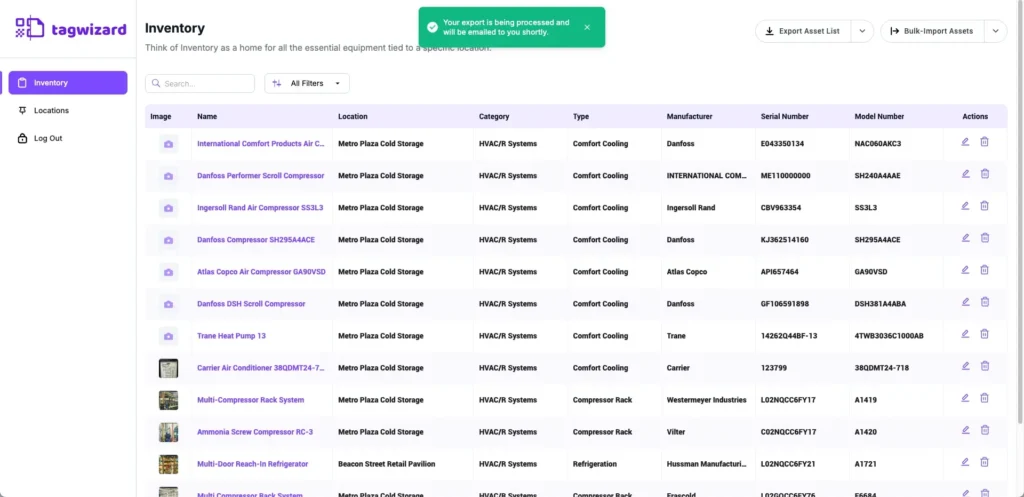
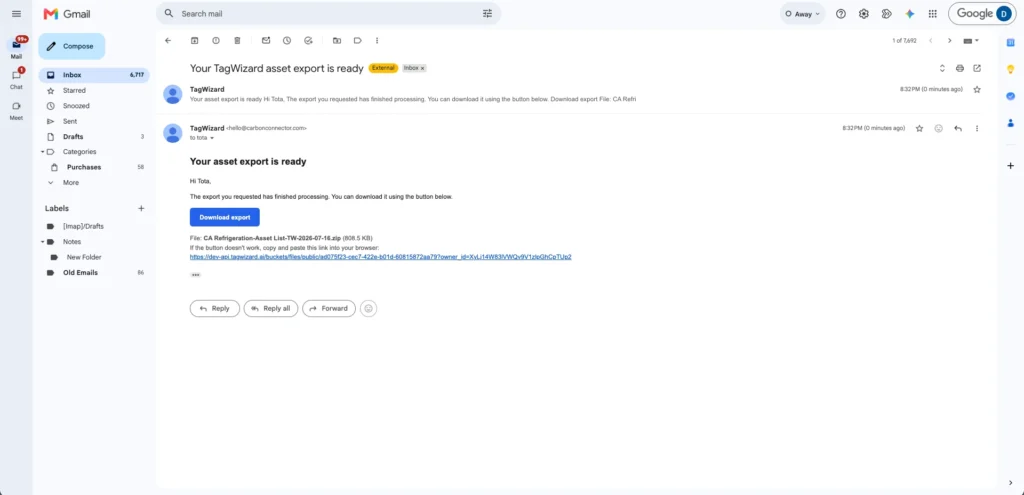
- Check your inbox; the report will be sent to the email address linked to your Tag Wizard Account.
- Click the “Download Export” button to download the report file.
Why it’s Great
Export large inventory lists with asset images seamlessly: no waiting, no browser timeouts, no interruptions.
Desktop Locations View Simplified
The Location Status column is now hidden in the Desktop Locations view to prevent an incorrect default status from being shown.