D – 1.0.12 / D – 1.0.13 – Release Notes – 2026/08/28
Versions: D – 1.0.12 / D – 1.0.13
Edit & Delete Assets (and Wizzy!) are now live on Desktop.
You asked, we delivered. You can now edit or delete assets directly from your desktop, with the same fields and behavior you already have on mobile.
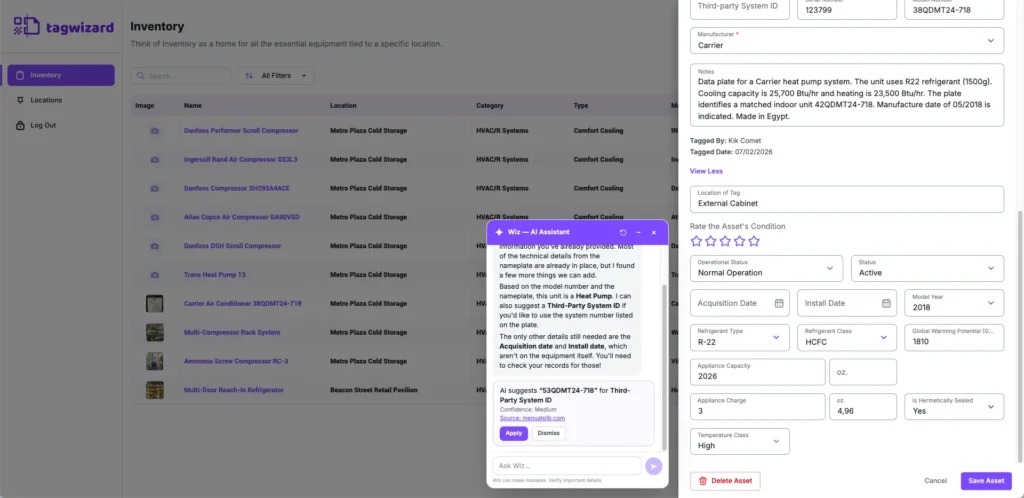
And Wizzy is here too! Your AI-powered assistant is now available on desktop, ready to help you find missing asset information and get more out of your inventory.
Try it out: app.tagwizard.ai
✨ New
Edit & Delete Assets on Desktop
How It Works
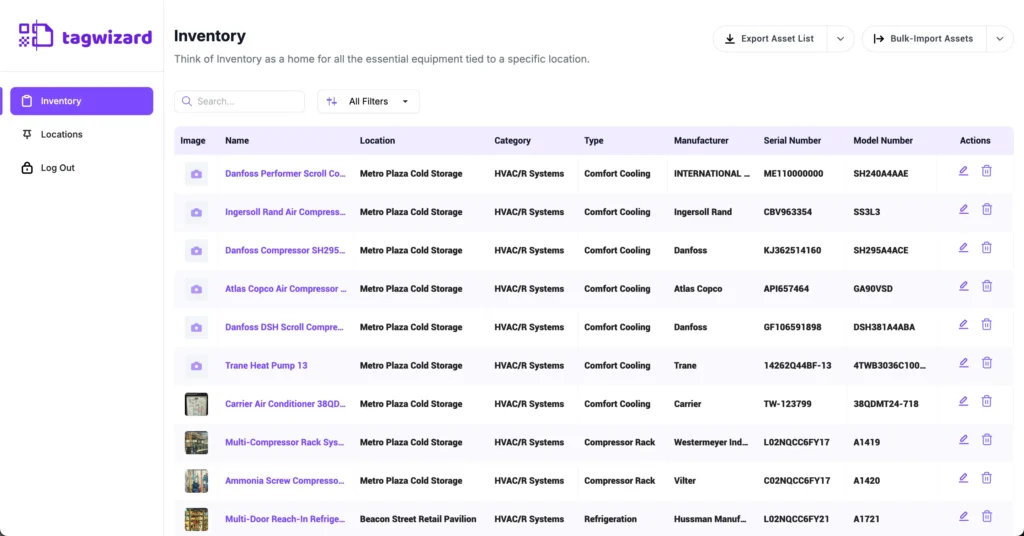
- Navigate to “Inventory”.
- To edit an asset:
- Click the “Edit” (pencil) icon in the actions on the right side of the asset row.
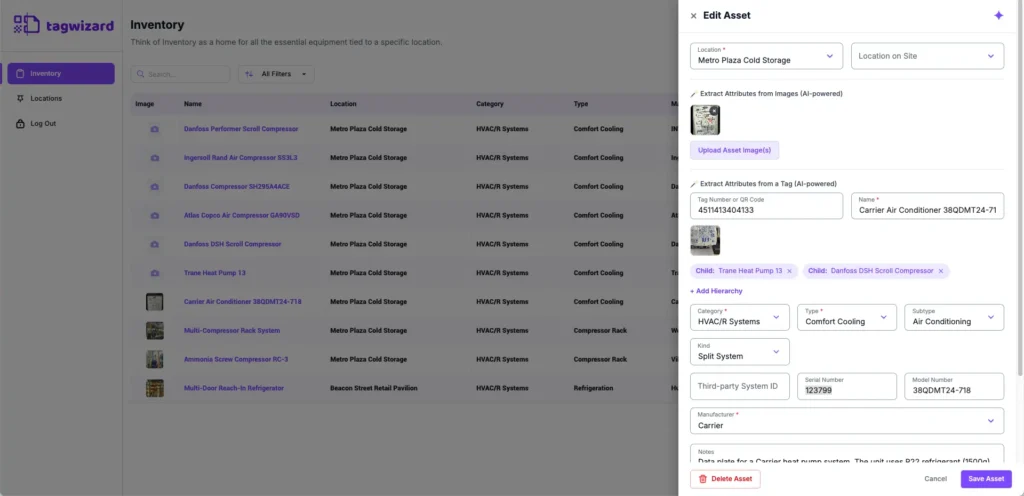
- A side panel will open, allowing you to view and modify the asset record.
- Click “Save Asset” to save your changes.
- To delete an asset:
- Click the red “Delete Asset” button on the asset record to permanently delete it.
- Alternatively, click the “Delete” (trash) icon in the actions on the right side of the asset row.
Why it’s Great
Manage your inventory from a larger screen without needing to switch back to mobile.
Meet Wizzy, our AI Agent, on Desktop
Wizzy is now available on Desktop, bringing AI-powered asset identification and data enrichment to your desktop workflow.
How It Works
- Navigate to “Inventory”.
- Click the “Edit” (pencil) icon in the actions on the right side of the asset row.
- A side panel will open, allowing you to view and modify the asset record.
- Click the purple AI (sparkle) icon in the top-right corner of the record.
- Ask a question or for recommendations about the asset.
- The AI analyzes your asset details and image to provide helpful suggestions within the chat.
- Review the information provided.
- Tap the “Apply” button to add the suggested value to your asset.
- The data will be directly added to the field with an indicator “Added by AI”.
Why it’s Great
Get the same AI assistance across Mobile and Desktop, so you can work with Wizzy whether you are in the field or at the office.