
D – 1.0.14 – Release Notes – 2026/09/11
Version: D – 1.0.14
Tag Wizard Desktop just got more powerful.
You can now add, edit, and delete assets directly from desktop, use Wizzy for AI-powered asset assistance, and enjoy clearer export progress.
Try it out: app.tagwizard.ai
🛠️ Enhancements
Add Assets Directly on Desktop
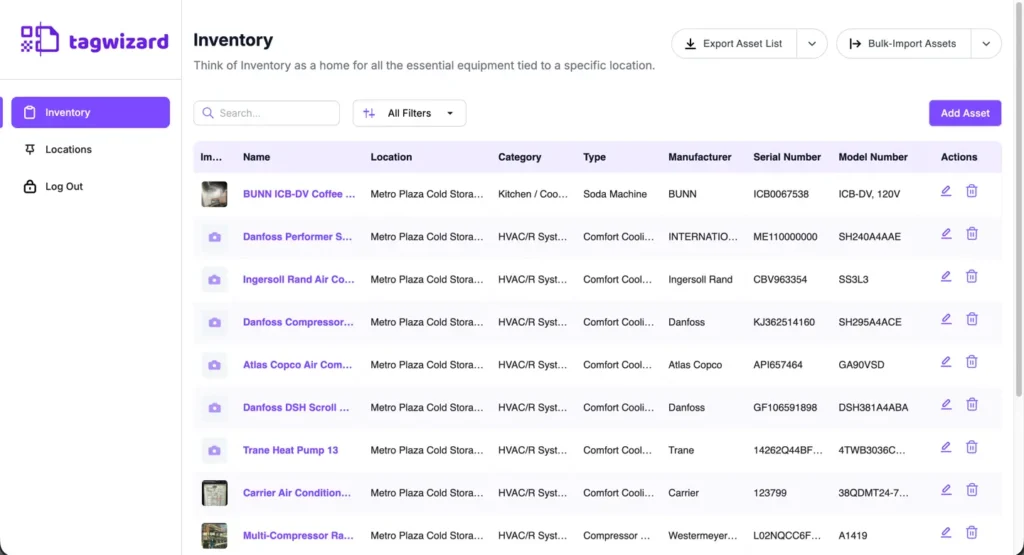
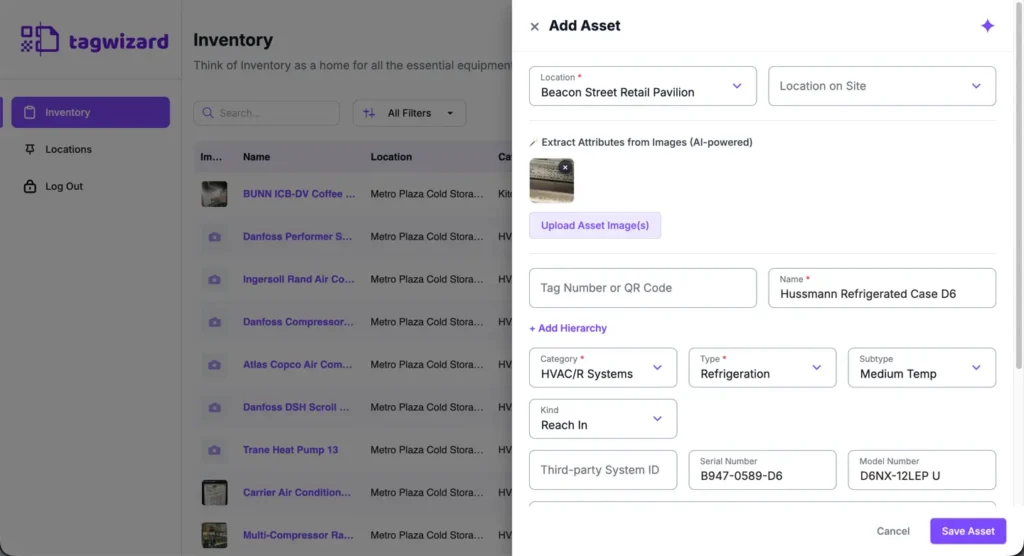
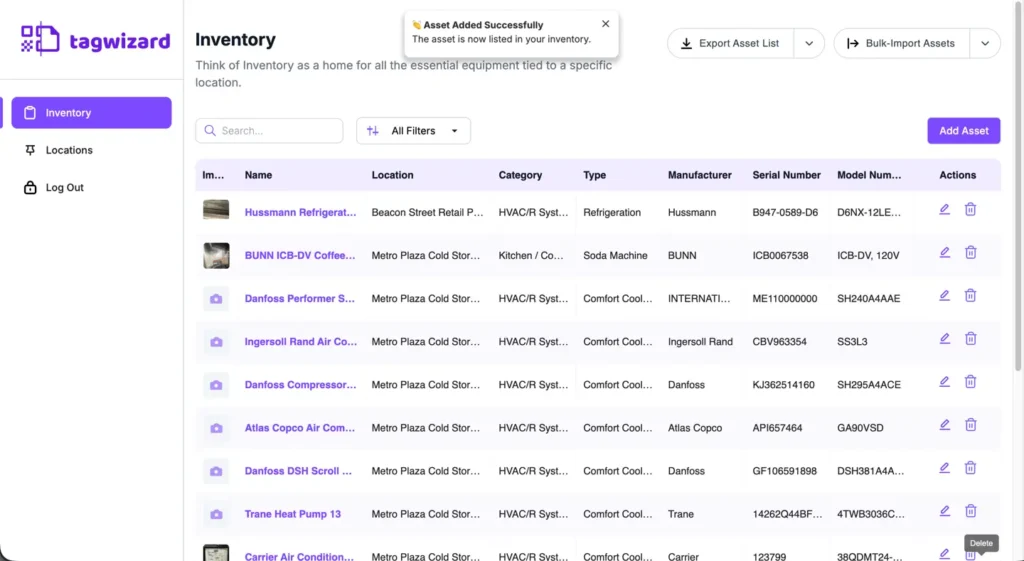
You can now add assets directly from your desktop. The same fields, validation, and behavior you’re familiar with on mobile are now available on desktop.
How It Works
- Navigate to “Inventory”.
- Click “Add Asset” button.
- Enter the required information.
- Click “Save”.
Why it’s Great
Too hot, too cold, or just easier from the office? You can now create and manage assets directly from your desktop without switching to mobile.
Know When Your Export Is Ready
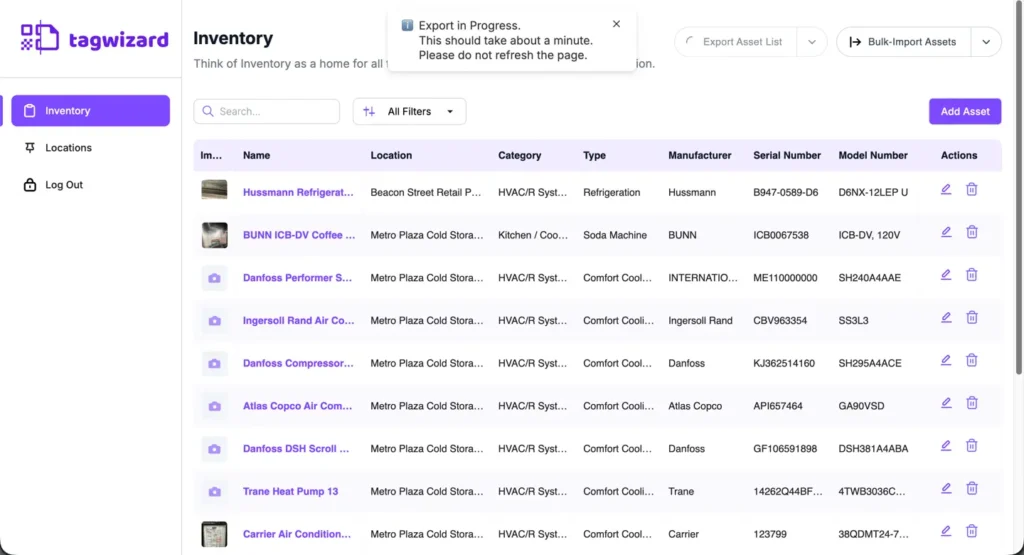
Exporting is now clearer. You’ll see when your export is in progress, and the UI reminds you not to refresh the page until the file is ready.
How It Works
- Go to “Inventory”.
- Click “Export Asset List”.
- While the export is processing, a notification lets you know it’s in progress.
- The export button remains disabled and shows a loading indicator until the file finishes downloading.
- The notification reminds you not to refresh the page until the file is ready.
Why it’s Great
Avoid duplicate exports and accidentally canceling an export in progress.
🐛 Bug Fixes
Pop-ups No Longer Overlap
The “Add Hierarchy” and Wizzy pop-ups no longer overlap, making the interface easier to navigate.