
D – 1.0.8 – Release Notes – 2026/06/08
You asked for it. We built it. Tag Wizard is officially on Desktop.
The inventory data you rely on every day and your locations are now available in a full-screen workspace.
Same account. Same data. Bigger canvas.
Log in with the same credentials you already use: no setup, no migration, no learning curve. Just a bigger, faster way to work.
This is just the beginning of Tag Wizard on Desktop.
✨ New
Log in with your existing Tag Wizard credentials
How It Works
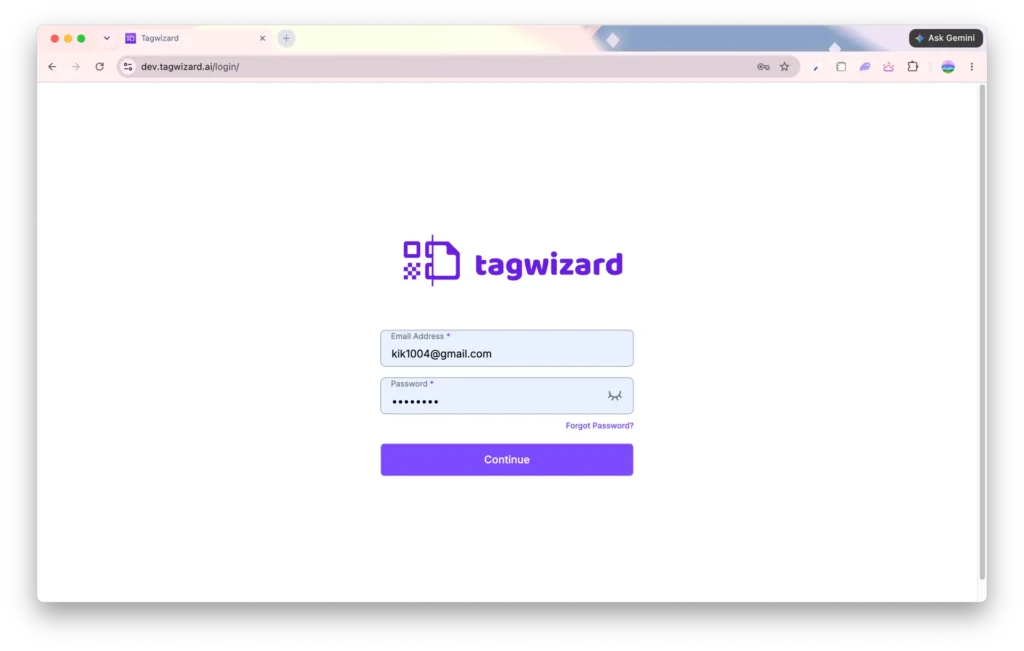
- Open the app.tagwizard.ai
- Enter the credentials for the account you already use on mobile.
- Click the “Continue” button.
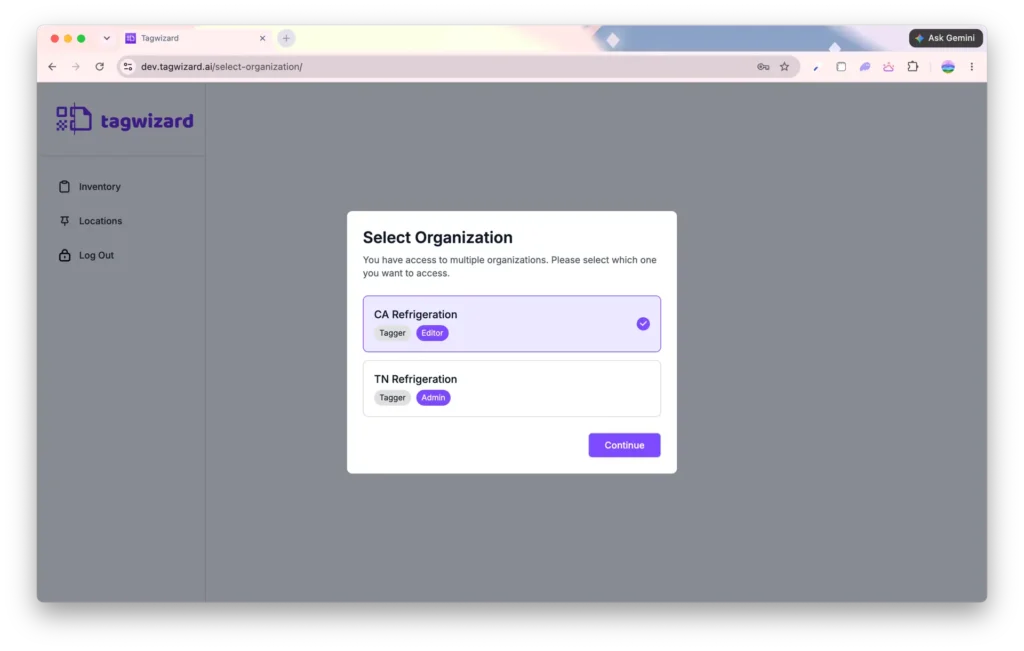
- Select your organization (if you have multiple organizations).
- Click the “Continue” button.
- You can now review asset and location data in your organization on the desktop.
Why it’s Great
Analyze and review asset and location data more efficiently with a desktop-friendly experience using the same account you already use on mobile.
Inventory
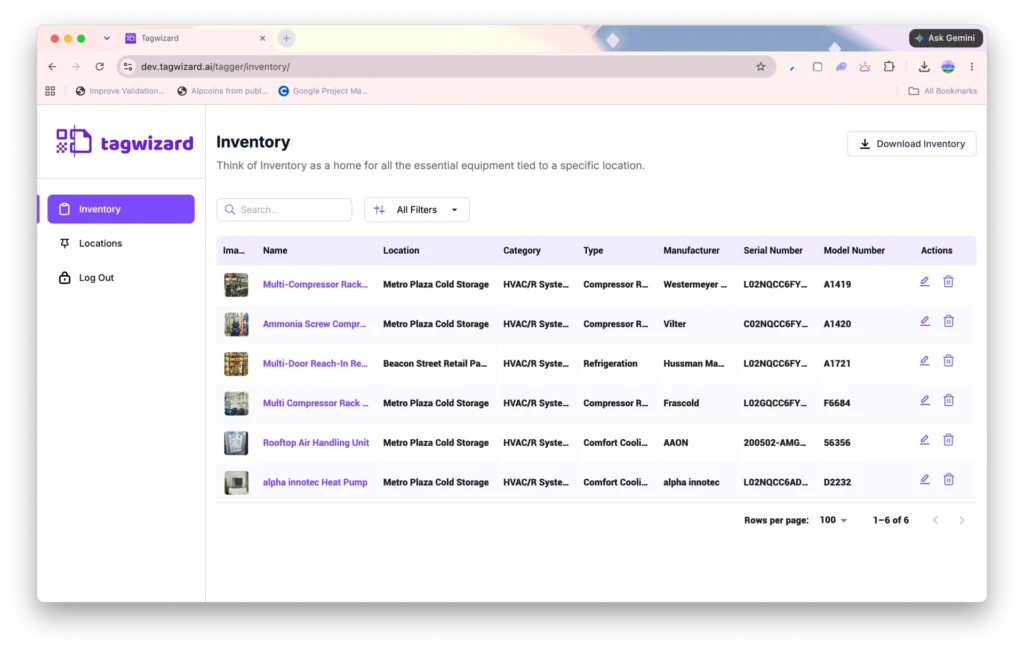
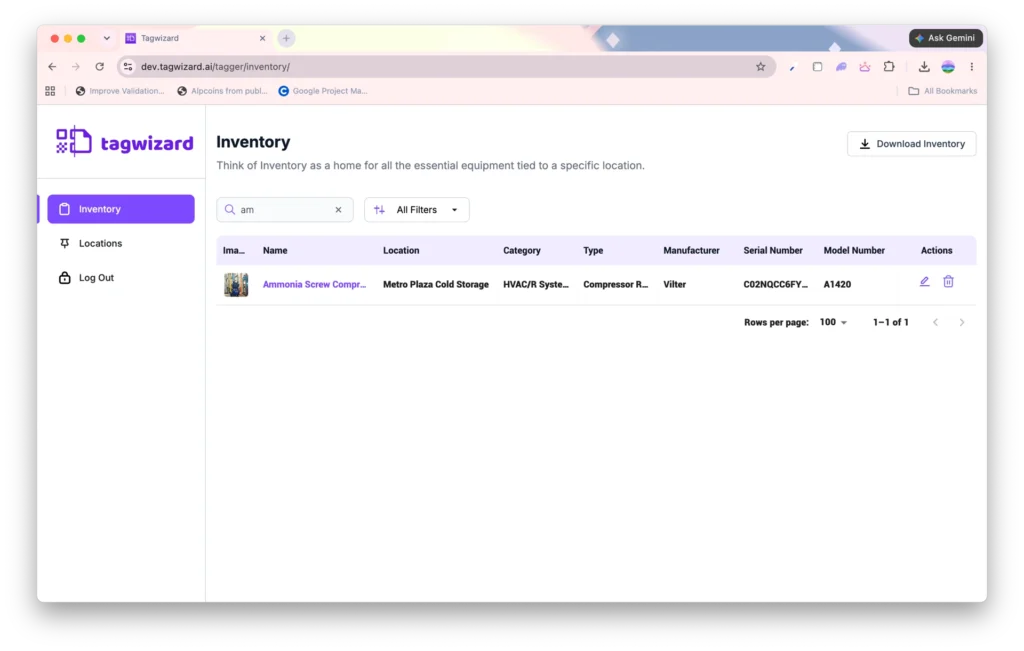
Search and filter your assets. The Inventory screen updates instantly as you type, using the same search logic as the mobile app.
How It Works
- Navigate to the “Inventory” screen.
Enter the asset information you want to search for in the search bar.
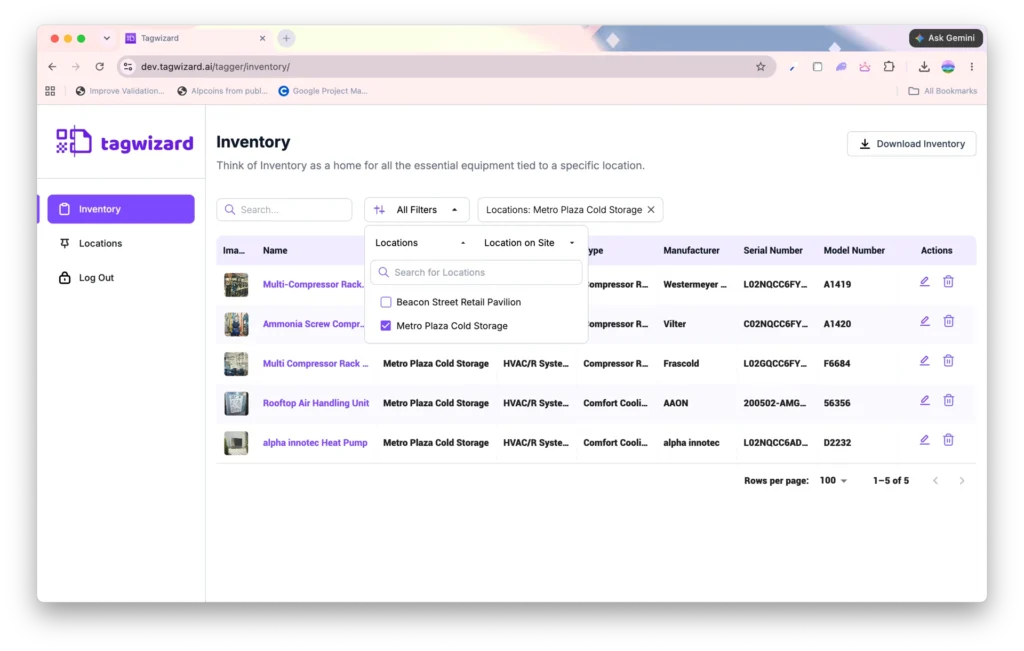
Click the “All Filters” button.
- Select one or more locations to filter.
- Select one or more locations on-site to filter.
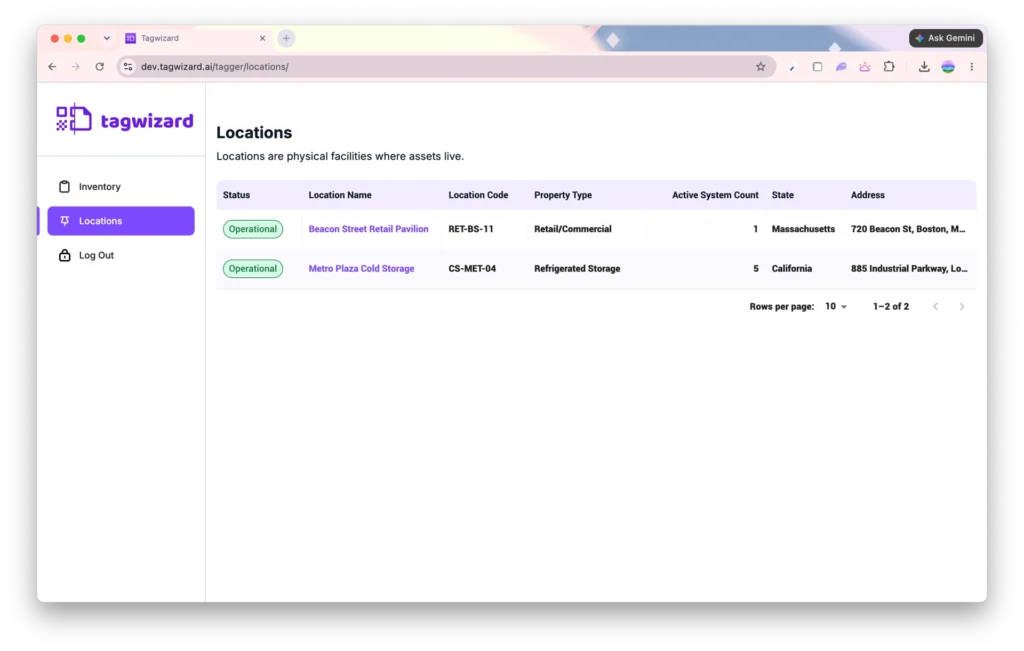
Locations
View the locations of your organization on the Desktop.