Location Interaction
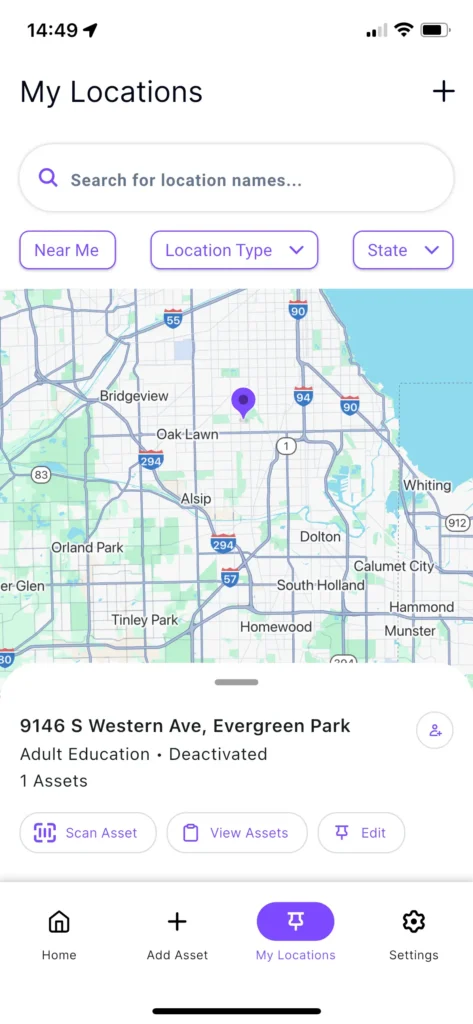
For each saved location, you can perform the following actions directly from the list:
Search and Filter
- Search: Use the search bar to find specific locations by name.
- Filter: Sort locations by Location Type, State, or find those Near Me.
Actions
- Scan Asset: Quickly initiate a scan for an asset at that specific location.
- View Assets: See a detailed list of all assets currently assigned to that location.
- Selecting this option redirects you to the My Assets screen with a location-specific filter automatically applied.
- Edit: Modify location details. Note that your ability to update these records depends on your assigned user permissions.
Map View
Interact with the map by tapping on individual location pins to display detailed information for that specific site.